
Mobile phones are where most Pakistani players start their casino journey. It is easy, it is quick, and the H789 app is always in the pocket. But after some time, a few things start to bother. The battery drains too fast. Calls interrupt the game. The screen feels too small when playing card games like Teen Patti or Dragon Tiger. And the phone heats up during long sessions.
This is the point where many players think about moving to a PC. A computer gives a bigger screen, a stable connection, and no battery tension. But there is one problem. H789 and most other casino apps are built only for Android phones. They do not have a Windows or Mac version. So installing them directly on a computer is not possible.
The solution is simple. An Android emulator. This small piece of software creates a virtual Android phone inside the computer. Once it is running, any Android app can be installed and played on the PC. The same method works for H789, and for other similar earning apps used in Pakistan.
Below is a complete guide. It covers what an emulator is, what PC specs are needed, how to set everything up step by step, what problems can come up, and what safety rules should be followed. No technical background required. Just follow along.
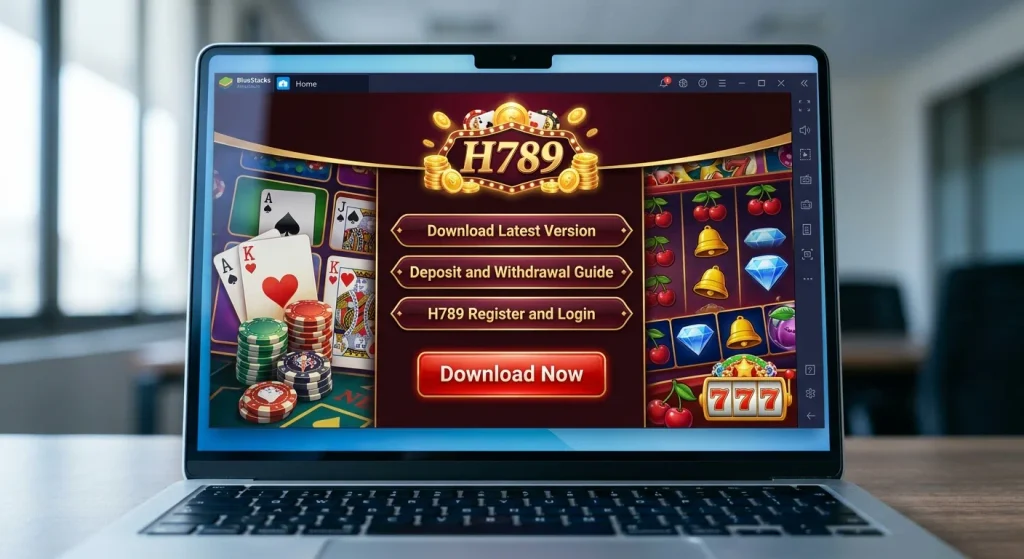
What Is an Android Emulator?
An Android emulator is a program that runs a fake Android phone on the computer screen. It looks exactly like a mobile interface. There is a home screen, an app drawer, a Play Store, and settings. Anything that works on a real Android phone works inside the emulator.
Think of it as a phone inside the computer. The mouse works like a finger tap. The keyboard works like the on-screen keyboard. The emulator handles all the technical parts in the background. The user only has to install the H789 game and start playing.
A few emulators are commonly used by players in Pakistan. BlueStacks is the most well-known. LDPlayer and MEmu are also popular, especially for computers with lower specs. NoxPlayer is another option. All of them are free. Most people start with BlueStacks because it works on both Windows and Mac without extra setup.
System Requirements for PC Gaming
Before installing anything, check the computer specs. A very old machine may struggle with casino games. Here is what most emulators need:
- Operating System: Windows 7 or later, or macOS 11 Big Sur or later
- Processor: Intel or AMD (any modern dual-core or better)
- RAM: Minimum 4GB
- Storage: Around 10GB of free space
A PC with 4GB RAM and a normal processor will run most casino apps without trouble. For smoother performance and better graphics, 8GB RAM makes a noticeable difference. An SSD instead of a traditional hard drive also helps loading times.
Step by Step – How to Play H789 Casino Games on PC
The full setup takes around ten to fifteen minutes. After that, playing is just like using a phone, only bigger.
Step 1: Download the Emulator
Open any browser and go to the official website of BlueStacks, LDPlayer, or MEmu. Download the installer file from there. It is important to use the official site only. Third-party download pages often bundle extra software that is not needed and can slow down the computer.
Step 2: Install the Emulator
Once the download finishes, open the installer file. A setup window will appear. Click next through the options and wait for the installation to complete. Depending on internet speed and computer performance, this takes about five to ten minutes.
Step 3: Open the Emulator
After installation, an icon appears on the desktop or in the start menu. Open it. A screen that looks like an Android phone or tablet will load. Give it a minute to finish loading all the background services.
Step 4: Sign In to Google Play Store
Inside the emulator, find the Play Store app. Open it and sign in with a Google account. If there is no Google account, one can be created for free in a few minutes. This step matters because most casino apps are downloaded through the Play Store.
Step 5: Search and Install the Game
In the Play Store search bar, type the name of the casino app. For example, type H789. When the app appears in the results, click install. The emulator will handle the download and installation on its own.
Step 6: Open the Game and Play
When installation is done, the game icon appears on the emulator home screen. Click it to open. Now the game runs on the PC. The mouse works for tapping buttons. The keyboard works for typing. The screen is much larger, and the battery problem is gone forever.
Alternative Method – Install APK Directly
Some casino apps are not listed on the Google Play Store. This is common for real-money gaming apps in Pakistan. In that case, the APK file can be downloaded from the official website of the game.
After the APK file is downloaded, open the emulator. Locate the APK file in the computer’s download folder. Drag it into the emulator window. The emulator will recognise the file and start installing it automatically. This method works for H789 and most other similar apps.
Why PC Gaming Is Better for Some Players
Not everyone needs a PC. Mobile gaming is perfectly fine for short sessions. But for players who spend more time in the app, a PC offers real advantages.
Bigger Screen
Card games like Teen Patti, Andar Bahar, and Dragon Tiger are easier to follow when the cards are larger. Slot games with detailed graphics look far better on a monitor. Small text and small buttons on mobile can be frustrating during long sessions.
No Battery Worries
On a phone, the battery drops fast during gaming. On a PC, the machine stays plugged in. Long sessions become possible without worrying about the charger.
Stable Internet Connection
Most players use WiFi on a PC instead of mobile data. WiFi is generally more stable. This reduces the chance of sudden disconnection during a game or during a withdrawal request.
Easy Multitasking
On a PC, the game can stay open in one window while other work continues in another. Some emulators even support running two instances at once, which means two accounts can be open side by side.
Common Issues and Fixes
Things do not always go smoothly. Here are the most common problems and how to solve them.
Emulator Runs Slow
If the emulator feels slow, check if virtualization is enabled in the computer’s BIOS. Most emulators need this setting for smooth performance. Also close heavy programs like video editors or other games while playing.
Game Crashes Right After Opening
This usually happens because of outdated graphics drivers. Update the graphics driver from the manufacturer’s website. If the problem stays, try a different emulator.
Play Store Not Loading
Sometimes the Play Store does not open inside the emulator. Restart the emulator first. If that does not fix it, clear the Play Store cache from the emulator settings.
APK File Not Installing
Make sure the APK file is fully downloaded and not corrupted. Also check that unknown sources are allowed in the emulator security settings.
Important Safety Notes for Pakistani Players
Playing H789 casino games on a PC is no different from playing on a phone. The same risks apply. A few extra precautions are needed because a computer holds more personal data.
Download Emulators from Official Sites
Only download BlueStacks, LDPlayer, or MEmu from their official websites. Fake emulator installers can contain malware that steals passwords and personal details.
Use Antivirus
Keep a good antivirus program running. Scan downloaded APK files before installing them. This matters more for casino apps that are not on the Play Store.
Protect Payment Details
When depositing money through JazzCash or EasyPaisa inside an emulator, make sure the PC is secure. Do not save passwords on shared computers. Always log out after playing.
Understand the Legal Position
Online gambling laws in Pakistan are complicated. The government has blocked many gambling apps in recent years. Playing through an emulator does not change the legal situation. Players should understand the risks involved and make their own decisions.
Final Words
Running H789 or any other casino game on a PC is not a difficult task. An Android emulator makes it possible within a few steps. The bigger screen, stable internet, and freedom from battery charging make the experience better for many players.
But one thing does not change. Whether the game is played on a phone or on a PC, the results depend on chance. The risks stay the same. Only play with money that can be afforded to lose. Set a limit before starting. Treat the app as entertainment, not as a guaranteed source of income.
FAQs
Can H789 be played on PC without an emulator?
No. H789 is an Android-only app. It needs an Android environment to run. An emulator creates that environment on the PC.
Which emulator works best for casino games?
BlueStacks is the most popular and works on both Windows and Mac. LDPlayer is lighter and works well on low-end PCs. Try one and see which suits the system better.
Is it safe to use an emulator for real money games?
A legitimate emulator from an official source is safe. The bigger security concern is the game itself and the payment method used. Strong passwords and an updated antivirus help a lot.
Will the H789 game run on an old PC?
If the PC has at least 4GB RAM and a working processor, it should run. Very old computers may struggle. LDPlayer or MEmu are better choices for low-spec machines.
Can JazzCash or EasyPaisa be used on PC?
Yes. The payment process works the same way inside the emulator. The wallet number is entered during deposit or withdrawal, just like on mobile.
Does H789 playing on PC give any advantage in the game?
No. The game results come from the server and are random. A bigger screen only makes the experience more comfortable. It does not affect the chances of winning.
What if the H789 game is not on Play Store?
Download the APK file from the official game website. Then drag it into the emulator to install. Always download from a trusted source.